

PRESALE ON NOW


Discover new and improved features in ACDSee Photo Studio for Mac 27 that redefine what’s possible.
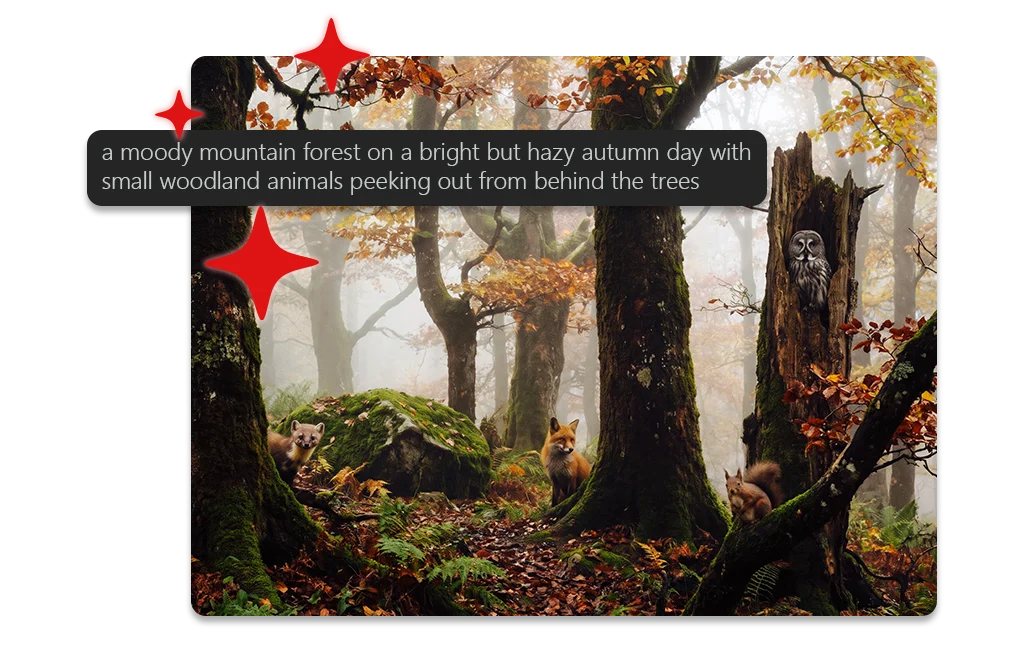
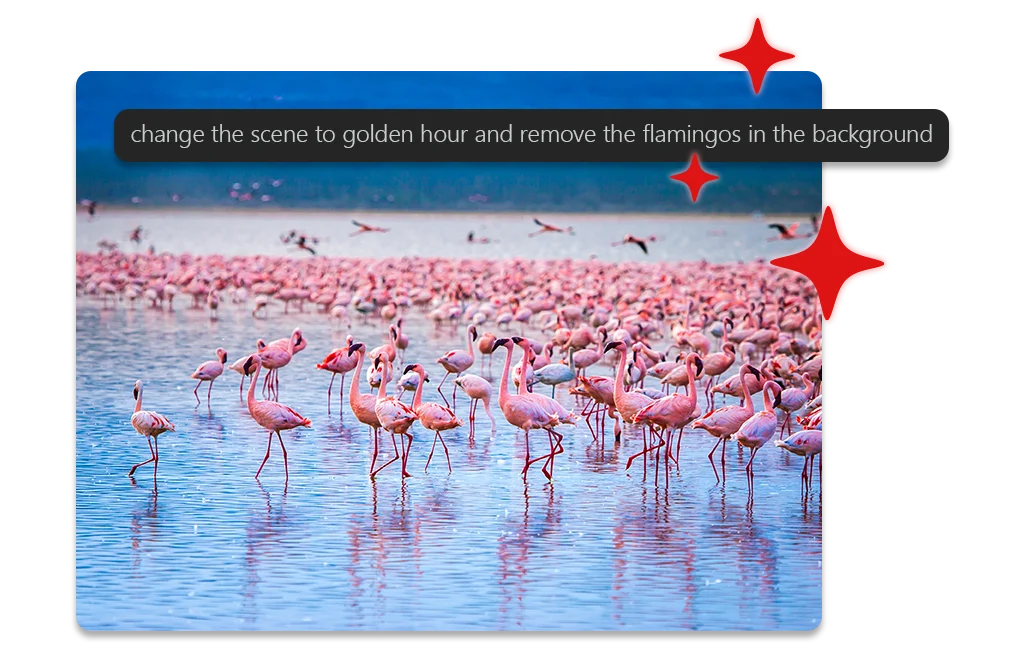
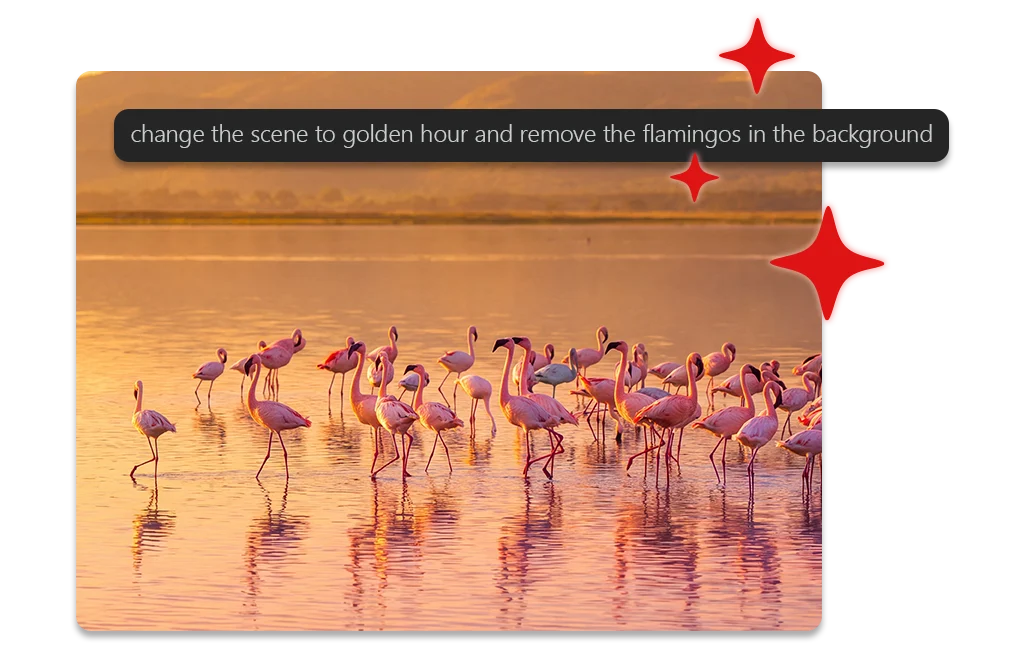
ACDSee Photo Studio for Mac 27 gives you more ways to keep your library in order and your imagination wild. New generative AI tools open creative possibilities, smarter organization reveals connections you’d never spot by hand, and the non-destructive photo editing capabilities that you know and love continue to give you full control over every edit. Combined with a revised, more modern look, ACDSee Photo Studio for Mac 27 keeps you ready for what’s next.



AI REVERSE IMAGE SEARCH
Find It by Sight
Some photos are easier to recognize than to describe. Select any image and let AI Reverse Image Search find every visually related shot in your library, with no tagging and no keywords. It’s the fastest way to track down every frame from a series, every photo of a place, or every shot that just looks right.
Group By AI Image Similarity
See Your Collection Differently
The Group By tool can now group visually related photos, so patterns, near-duplicates, and hidden favorites rise to the surface. Use it on a folder, a handful of folders, or your search results. Pair it with AI Keywords to narrow a broad set down to exactly what you’re searching for. It’s a new lens on a collection you thought you already knew.
ACDSEE TABS
Browse Without Losing Your Place
ACDSee Tabs function just like web browser tabs, providing a familiar and intuitive experience in Manage mode. Open multiple folders within a single window and effortlessly switch between tabs to navigate your files, simplifying your workflow and enhancing your productivity with the clean, streamlined interface that brings all your digital asset collections together in one place. Pick up right where you left off – ACDSee Tabs retain your open tabs between sessions, making it easy to resume previous searches and folder views without starting over.
ACDSEE HOME PAGE
A Better Place to Start
Take charge of your workflow from the moment you launch ACDSee. The new Home Page gives you immediate access to essential tools. Jump into Saved Searches, filter your photos with one-click options like Recently Modified or Tagged, and perform common tasks such as importing images, finding duplicates, or cataloging files—all from a single screen.
REJECT TAG
Cut the Clutter
Not every frame makes the cut, so stop letting the missed ones slow you down. Mark blinks, blurs, and duds with the new Reject Tag as you review, then pull up your rejects and clear them out in a single pass. Take every shot with confidence knowing ACDSee will keep you sorted.
ACTIVITY MANAGER
Nothing Slows You Down
No waiting for tasks to complete—thanks to the Activity Manager, background processing lets you continue working while operations run. Multiple activities run simultaneously, so you can detect faces, keywords, and image similarity, all at the same time without slowing down. AI Image Generation also runs through the Activity Manager, so you can keep working while your images are created. Track progress in real-time and experience a faster, more efficient workflow.
Digital Asset Management
- ACDSee Photo Studio for Mac 27 adds AI Reverse Image Search, Group By AI Image Similarity, and the new Reject Tag to an already best-in-class Digital Asset Management (DAM) toolkit so nothing gets lost, duplicated, or overlooked, no matter how large your library grows.
- The addition of Tabs in Manage mode lets you navigate your photo collection effortlessly, making it smoother to add ratings, tags, categories, keywords, location data, customizable color labels, and other metadata that keep everything perfectly organized.
- Powerful search tools like AI Keywords, Saved Searches, Keyword/Category filtering, and the new AI Reverse Image Search make finding the exact shot you need take seconds – not hours – leaving you free to continue your photo management pursuit.
- Let AI Face Detection & Facial Recognition find and name faces for you, building on the names you’ve confirmed to suggest matches you can accept or reject in batches.
- Easily eliminate duplicates and streamline your workflow using batch functions – like resizing, renaming, or converting file formats – and more.


Non-Destructive Photo Editing
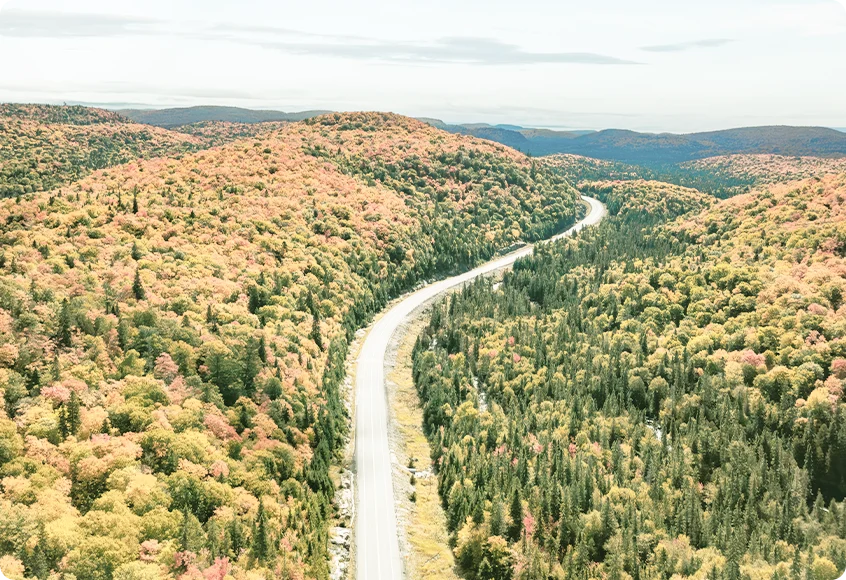
- Intuitive and non-destructive RAW photo editing at your command.
- In Develop Mode, the AI-infused Masking Group helps you automatically select the subject, background, sky, or objects in your image for quick editing – whether you’re making simple adjustments or working with more complex selections.
- New masking options for Color and Luminance Ranges give you a new way to isolate specific colors and brightness levels in your photos.
- Easily adjust the selection mask to cover exactly what you need, without affecting the rest of the image.
- Fix color, balance lighting, and restore image quality using tools like Color and Tone Wheels, Light EQ™, Clone tool and more, all without permanently changing your original file.
- Instantly compare your adjustments to the original with the new Split View Before/After slider.
- When working with large batches of photos, use AI Presets that automatically adapt to each image individually, so you can apply consistent edits across many shots and save hours of manual work.
Non-Destructive Photo Editing
- Intuitive and non-destructive RAW photo editing at your command.
- In Develop Mode, the AI-infused Masking Group helps you automatically select the subject, background, sky, or objects in your image for quick editing – whether you’re making simple adjustments or working with more complex selections.
- New masking options for Color and Luminance Ranges give you a new way to isolate specific colors and brightness levels in your photos.
- Easily adjust the selection mask to cover exactly what you need, without affecting the rest of the image.
- Fix color, balance lighting, and restore image quality using tools like Color and Tone Wheels, Light EQ™, Clone tool and more, all without permanently changing your original file.
- Instantly compare your adjustments to the original with the new Split View Before/After slider.
- When working with large batches of photos, use AI Presets that automatically adapt to each image individually, so you can apply consistent edits across many shots and save hours of manual work.



System Requirements
To activate your software, to validate your subscriptions, or to access online services, you will need a valid email address and an internet connection.
Product Documentation
Online Help – Coming soon
User Guide – Coming soon
Helpful Links
ACDSee AI Credit Packs
ACDSee Video Tutorials
ACDSee Connect
ACDSee Support Center
ACDSee Product Forum
Migrate from Photoshop™ & Lightroom™
ACDSee Photo Studio for Mac Product Comparison
macOS RAW File Support
Contact Customer Support
30-Day Money Back Guarantee
Our 30-Day Guarantee means if you aren’t fully satisfied, just let us know, and you will be fully refunded on any purchased ACD Systems product.