Artificial Intelligence (AI) Powered Software for Photographers
ACDSee software is engineered to help photographers stay organized and edit photos with ease. The AI-enhanced file management tools help you automatically organize photos and search libraries of images without adding a single piece of metadata. You can also use AI photo editing tools to replace skies, make complex selections, retouch portraits, and achieve advanced editing techniques quickly. The core AI-driven features in ACDSee operate locally, meaning the software does not rely on remote servers to process your images. Therefore, you get real-time results when using these AI features, and your privacy remains protected.
Generative AI takes your creative control even further with AI Image Generation, Generative Fill, Generative Edit, and AI Remove. These are the only AI features in ACDSee that use cloud processing. Your privacy is still our top priority: prompts and images are encrypted and routed through ACDSee’s own servers before ever reaching the cloud, and they are never stored. Learn more about generative AI features and using AI credits in ACDSee→
FEATURED TUTORIAL
Smart Photo Management
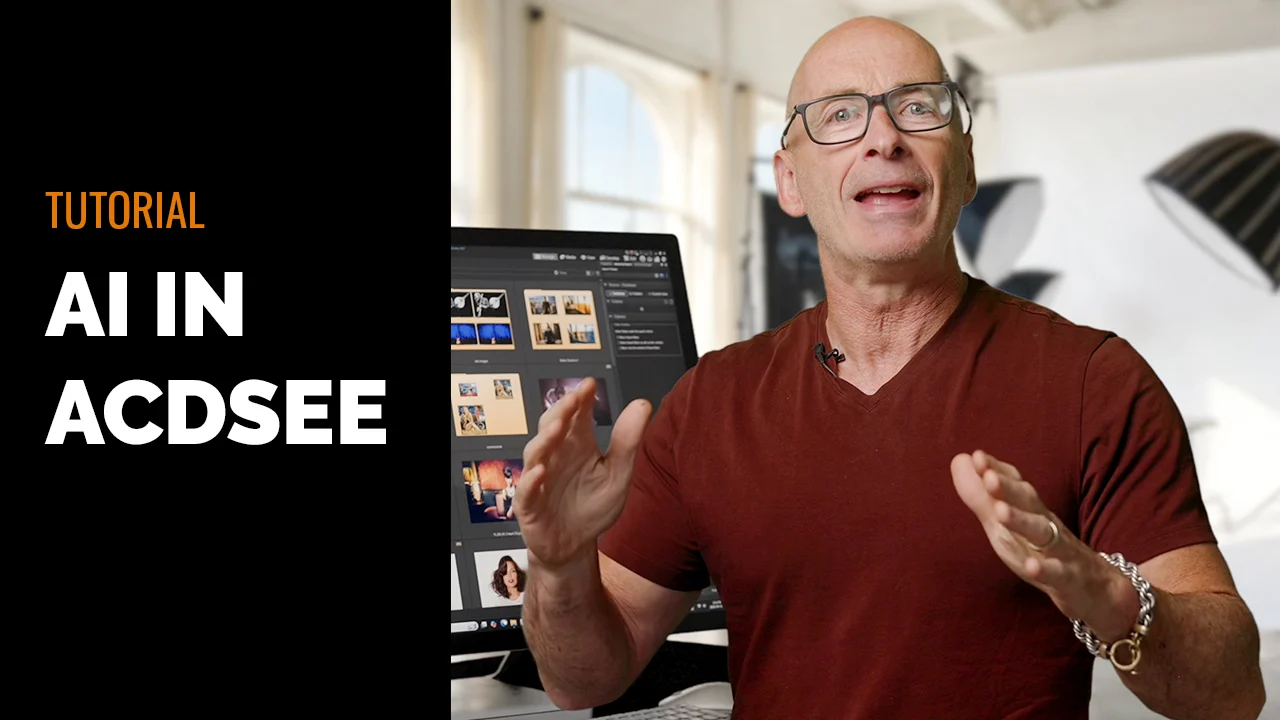
Every AI-powered Digital Asset Management feature in ACDSee processes locally, on your own device, keeping your images exactly where they belong.


AI Keywords
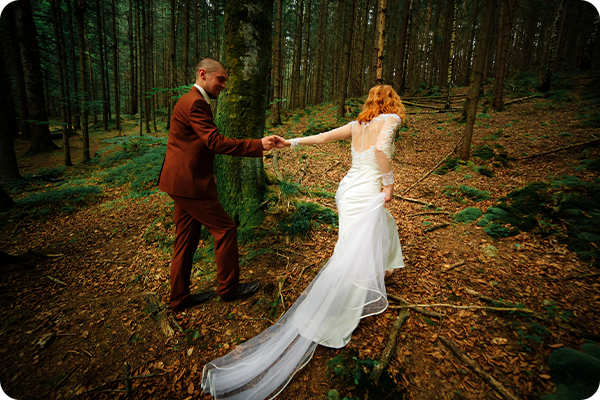
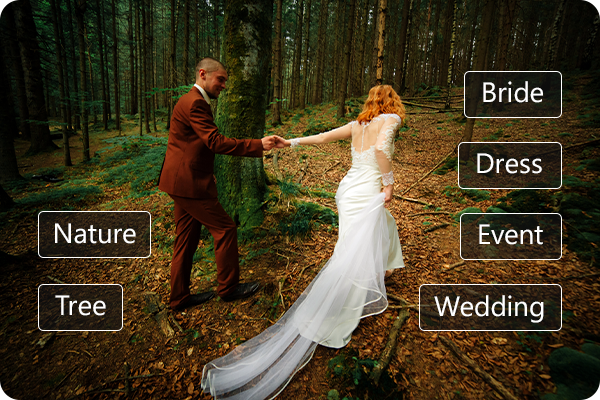
Take your photo collection management to the next level with AI Keywords. The locally supported AI analyzes your images and automatically assigns keywords to photos in your library, making it possible to search your entire photo collection without manually adding any information to your files. Finding your wedding photos is as simple as searching “Wedding”, effortlessly gather all your pet photos, or collect your culinary creations to share in an instant. This level of smart, zero-effort searching keeps the photos you’re looking for at your fingertips.
AI Keywords uses local processing and is available in ACDSee Photo Studio Ultimate 2027 and ACDSee Photo Studio Professional 2027.

AI Face Detection and Facial Recognition
Identifying the people in your photos is a seamless process thanks to AI Face Detection & Facial Recognition. AI Face Detection first finds the faces in your images so you can tell the AI who is who, then AI Facial Recognition will label similar faces. The more you use the AI Face Detection & Facial Recognition tool, the more intelligent the AI becomes. Searching for photos of family and friends by name is quick and painless.
Your face data is sensitive data. One of the primary advantages of using ACDSee’s AI Face Detection & Facial Recognition is that your data stays secure – this feature does not use cloud-based AI processing.
AI Face Detection and Facial Recognition uses local processing and is available in ACDSee Photo Studio Ultimate 2027, ACDSee Photo Studio Professional 2027, and ACDSee Photo Studio Home 2027.


AI Face Detection and Facial Recognition
Identifying the people in your photos is a seamless process thanks to AI Face Detection & Facial Recognition. AI Face Detection first finds the faces in your images so you can tell the AI who is who, then AI Facial Recognition will label similar faces. The more you use the AI Face Detection & Facial Recognition tool, the more intelligent the AI becomes. Searching for photos of family and friends by name is quick and painless.
Your face data is sensitive data. One of the primary advantages of using ACDSee’s AI Face Detection & Facial Recognition is that your data stays secure – this feature does not use cloud-based AI processing.
AI Face Detection and Facial Recognition uses local processing and is available in ACDSee Photo Studio Ultimate 2027, ACDSee Photo Studio Professional 2027, and ACDSee Photo Studio Home 2027.
AI Image Similarity
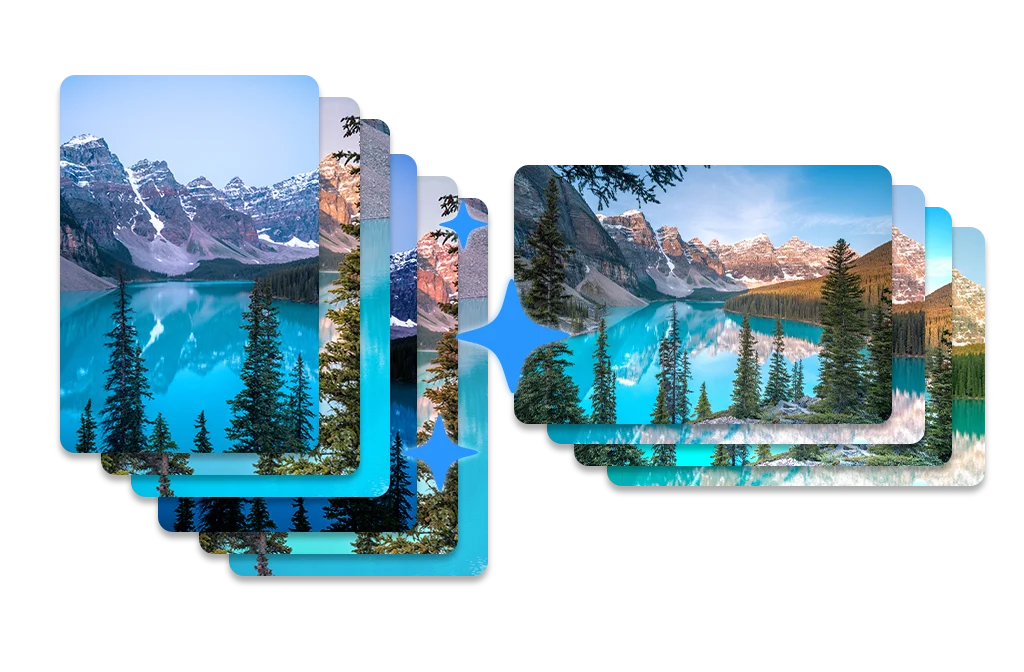
Take your photo library search to a whole new level with AI Image Similarity. Running locally in the background, it analyzes your images and identifies visual similarities across your entire library, powering AI Reverse Image Search so you can find matching or related photos in seconds. Group visually similar photos together to spot patterns, duplicates, or variations at a glance, or combine AI Image Similarity with AI Keywords for laser-focused searches, like finding every golden-hour beach photo with your dog in it. Because the analysis happens entirely on your device, your search gets smarter the more you shoot, without your photos ever leaving your computer.
AI Image Similarity uses local processing and is available in ACDSee Photo Studio Ultimate 2027 and ACDSee Photo Studio Professional 2027.
Advanced Photo Upscaling AI


AI Super-Resolution
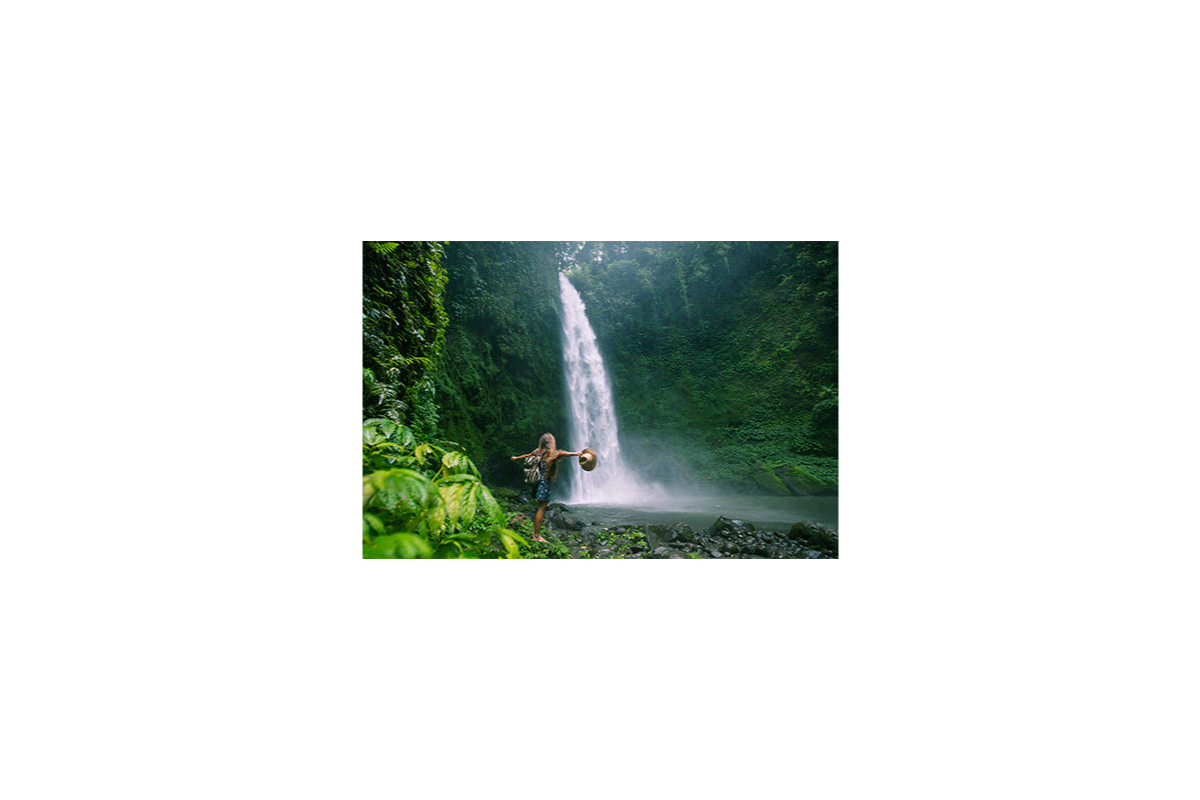
Maximize the pixels in your images with ACDSee AI Super-Resolution. AI Super-Resolution intelligently upscales images while reducing noise and blurriness, eliminating artifacts, and maintaining details. It improves contrast and sharpness, resulting in clearer, more detailed upscaled images. Prepare multiple shots for large-scale printing, breathe life into old photos, or upscale low-resolution images in one swift move with Batch AI Super-Resolution.
AI Super-Resolution uses local processing and is available in ACDSee Photo Studio Ultimate 2027, ACDSee Photo Studio Professional 2027, ACDSee Photo Studio Home 2027, and ACDSee Gemstone Photo Editor 16.
AI That Knows the Difference
AI Denoise
AI Denoise doesn’t just reduce noise—it understands your image. Using deep learning trained on countless photos, it intelligently distinguishes between unwanted grain and essential detail. The result? Noise melts away while the fine textures and sharpness you want remain untouched. From high-ISO captures to tricky low-light shots, AI Denoise transforms entire batches of photos in moments, delivering images that look clean, crisp, and remarkably true to life.
AI Denoise uses local processing and is available in ACDSee Photo Studio Ultimate 2027, ACDSee Photo Studio Professional 2027, and ACDSee Gemstone Photo Editor 16.


AI That Knows the Difference
AI Denoise
AI Denoise doesn’t just reduce noise—it understands your image. Using deep learning trained on countless photos, it intelligently distinguishes between unwanted grain and essential detail. The result? Noise melts away while the fine textures and sharpness you want remain untouched. From high-ISO captures to tricky low-light shots, AI Denoise transforms entire batches of photos in moments, delivering images that look clean, crisp, and remarkably true to life.
AI Denoise uses local processing and is available in ACDSee Photo Studio Ultimate 2027, ACDSee Photo Studio Professional 2027, and ACDSee Gemstone Photo Editor 16.
AI-Driven Photo Filters


AI Sky Replacement Software
The sky is no longer the limit with AI Sky Replacement. Easily define and replace the sky in any photo, resulting in a natural-looking image thanks to foreground and reflection options for water. You can also use one of the many pre-installed skies, like Sunset, Storm, and Night Sky, to transform your wildest dreams into your horizon realities.
AI Sky Replacement uses local processing and is available in ACDSee Photo Studio Ultimate 2027 and ACDSee Gemstone Photo Editor 16.
AI Portrait Retouching
AI Face Edit
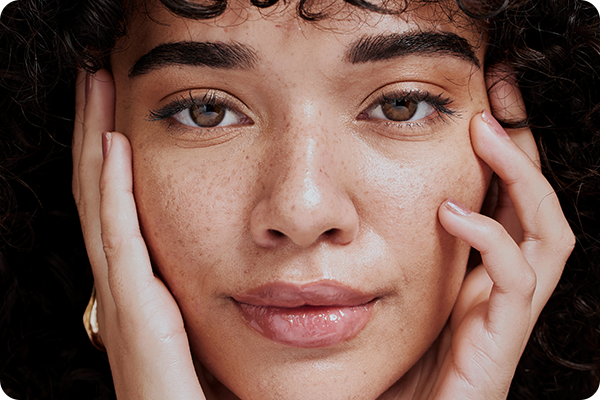
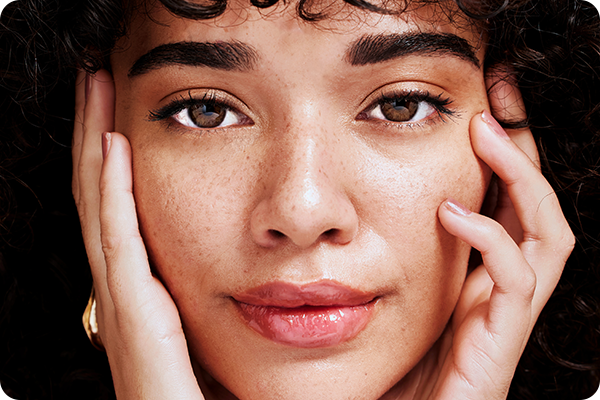
With ACDSee Photo Studio’s AI Face Edit, portrait retouching is as simple as 1, 2, 3. Retouch faces in any photo with stunning precision, allowing you to adjust key facial parameters such as eyes, eyebrows, nose, mouth, skin, makeup, and the face itself. Using the sliders of the AI-assisted tool, you can do everything from small adjustments for enhancing natural beauty to major deviations for creating new looks.
AI Face Edit uses local processing and is available in ACDSee Photo Studio Ultimate 2027 and ACDSee Gemstone Photo Editor 16.
AI Photo Editing Tools
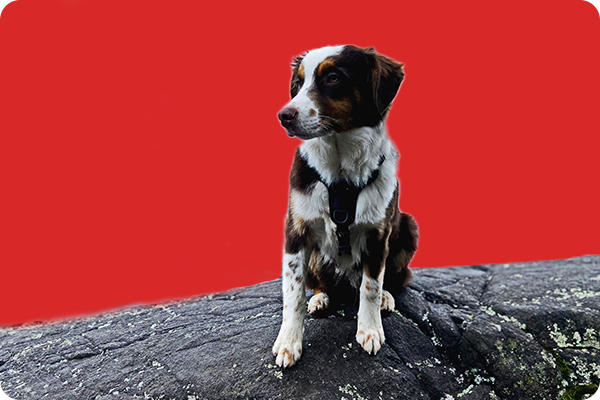
Develop RAW images faster with help from advanced non-destructive AI photo editing tools. Use AI-driven masking to help make skies bluer, correct lighting on subjects, or give backgrounds more depth. ACDSee contains the right AI tools to improve your RAW image processing workflow.
This feature is available in ACDSee Photo Studio Ultimate 2027, ACDSee Photo Studio Professional 2027, and ACDSee Gemstone Photo Editor 16.
AI Photo Editing Tools
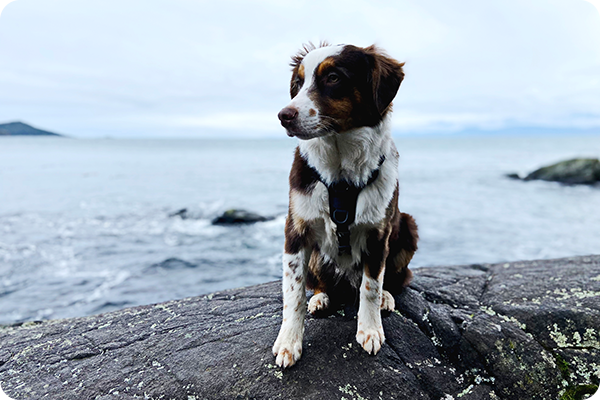
Develop RAW images faster with help from advanced non-destructive AI photo editing tools. Use AI-driven masking to help make skies bluer, correct lighting on subjects, or give backgrounds more depth. ACDSee contains the right AI tools to improve your RAW image processing workflow.
This feature is available in ACDSee Photo Studio Ultimate 2027, ACDSee Photo Studio Professional 2027, and ACDSee Gemstone Photo Editor 16.


Advanced Photo Manipulation
Instantly make the subjects in your photos pop using AI Actions to blur backgrounds, change backgrounds to black & white, and more in one click. Combine AI-powered selection features with ACDSee’s layered editor to create composite photography images quickly and easily. Add augmented reality to your photos, design eye-catching ads, or make the impossible seem possible – the options are endless.
This feature is available in ACDSee Photo Studio Ultimate 2027 and ACDSee Gemstone Photo Editor 16.
Generative AI Photo Editing Tools
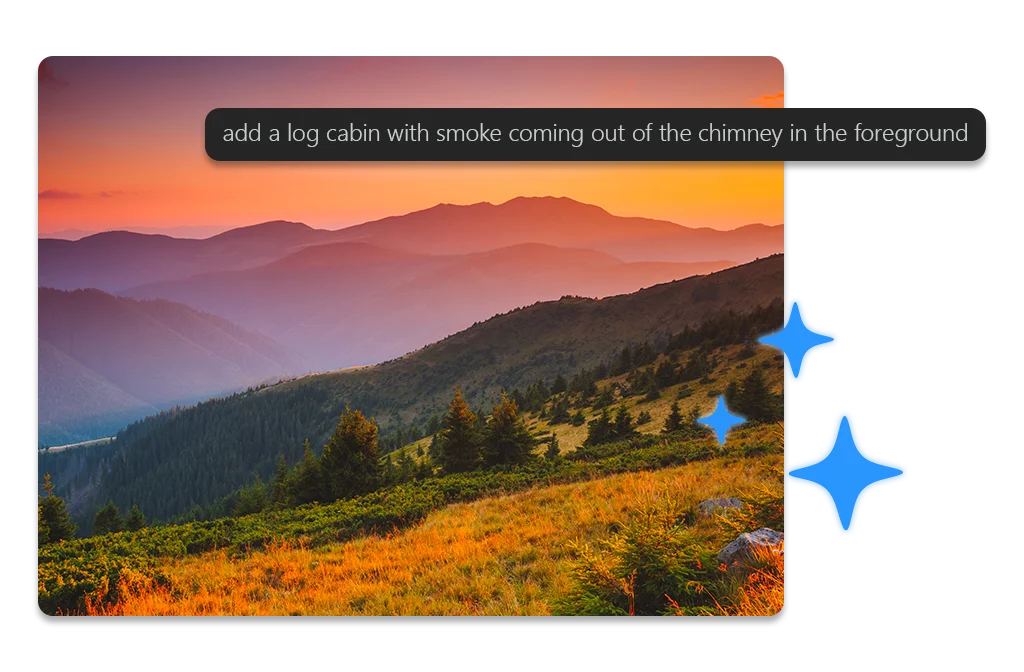
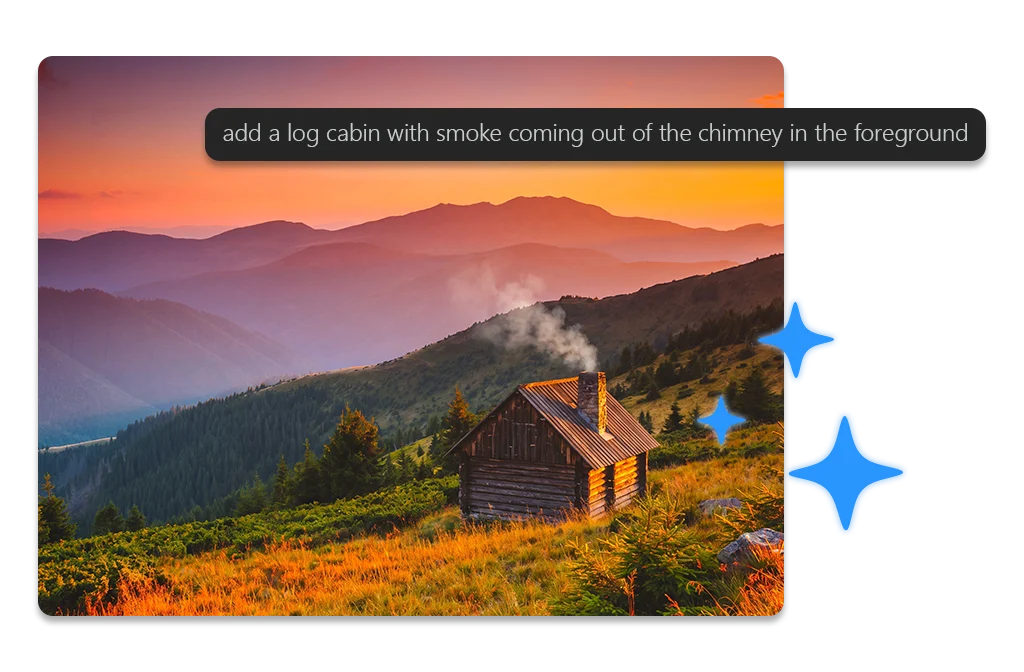
ACDSee Photo Studio’s generative AI tools open up new creative possibilities, whether you’re building an image from scratch or refining one you already have. Type a prompt, apply a preset effect, or feed in reference photos to guide character, style, and composition, and AI Image Generation builds the image for you. Missing part of a shot? Generative Fill seamlessly completes it, matching what’s already there. Want to change something specific? Generative Edit lets you describe the change in plain language or point to a reference image for the look you’re after. And when something doesn’t belong in the frame, AI Remove takes it out cleanly, with no trace left behind. Together, these tools put professional-level image creation and editing within reach, no matter your skill level.
Generative AI features use cloud processing and are available in ACDSee Photo Studio Ultimate 2027, ACDSee Photo Studio Professional 2027, and ACDSee Photo Studio Home 2027.
Generative AI Photo Editing Tools
ACDSee Photo Studio’s generative AI tools open up new creative possibilities, whether you’re building an image from scratch or refining one you already have. Type a prompt, apply a preset effect, or feed in reference photos to guide character, style, and composition, and AI Image Generation builds the image for you. Missing part of a shot? Generative Fill seamlessly completes it, matching what’s already there. Want to change something specific? Generative Edit lets you describe the change in plain language or point to a reference image for the look you’re after. And when something doesn’t belong in the frame, AI Remove takes it out cleanly, with no trace left behind. Together, these tools put professional-level image creation and editing within reach, no matter your skill level.
Generative AI features use cloud processing and are available in ACDSee Photo Studio Ultimate 2027, ACDSee Photo Studio Professional 2027, and ACDSee Photo Studio Home 2027.