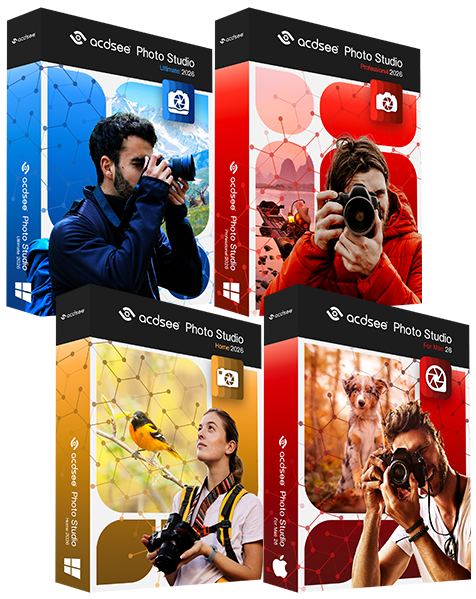
With ACDSee Pro for Mac Beta 1.1, try the latest developments of ACD Systems' first professional application for the Mac. Pro for Mac provides photographers with a fast, flexible workflow platform built from the ground up on the Mac operating system.
Please review the Beta Release Notes and System Requirements before trying ACDSee Pro for Mac Beta.
We recommend using test images only with Beta versions.
Let us know how the ACDSee Pro for Mac Beta adapts to your workflow.
Join the discussion on the ACDSee forums.
Work faster with ACDSee Pro for Mac
Accelerate your photography workflow with ACDSee Pro for Mac. Manage and view your images with speed and ease. ACDSee Pro is the photography software with the flexibility to adapt to the way you work; helping you optimize every aspect of your workflow.
Top Features Include:
Speed you expect from ACDSee products
Built from the ground up for Mac
Flexible image management
Direct access to images on hard drive and connected devices
Save Time with Live Browsing
Browse your collection instantly.
I love the speed in accessing my photos. No waiting for a bunch of stuff to load. That is great!
Dan Courcy, Photographer and Environmental Engineer, Orlando, Florida
Unlike catalog-based photo applications, you don't need to spend valuable time importing files that are already on your hard drive and connected devices.
ACDSee Pro automatically detects your devices, including cameras, photo frames and external memory. Browse these devices directly, and simply drag and drop to copy the images onto your hard drive.
Access folders and files live, in real time. When you browse a folder, ACDSee Pro instantly populates the file list with thumbnails of your photos.
Customize your image browsing to your specifications:
Dynamically modify thumbnail size
Select display information, including rating and file name (including file extension)
Catalog Flexibly. Retrieve Quickly.
Organize your collection with flexibility and control.
It's fast! I loaded a folder that contained over 7000 images, and it had to chew on it for a few seconds, but over-all it appears to handle most tasks quickly.
Mark Stevens, Photographer and Web Developer, Fort Worth, Texas, USA
With ACDSee Pro, you have live access to manage files on your hard drive and applicable connected devices. Move, add, delete and rename folders and images within folders.
Managing files is quick and simple in ACDSee Pro's intuitive drag and drop interface. Folder item counts help you see how many images and sub-folders are stored in each location. You also have the option to include all file types in your folder item counts.
Organize images into hierarchical custom categories. These categories are virtual, so there's no need to duplicate images. Tag photos to create instant temporary groupings. Rate images to keep track of your best work.
Get all the information about your images with the Properties pane, which includes ACDSee database information like categories and ratings, file properties like size and resolution, and EXIF data like ISO speed and Focal length.
I loaded a folder of my entire collection containing over 12,000 images, all of which are on an external hard drive. It took only seconds for them to appear with the corresponding numbers of items in the folder. What a difference compared to waiting for catalogues to load and update in other programs.
Norm Esdon, Nature & Landscape Photographer, Kingston, Ont., Canada
Design your print layouts.
With ACDSee Pro, you have complete control over your prints. Print single images, multi-image page layouts and contact sheets. Select output size, resolution and orientation. Save your preferred options as presets and cut time out of your workflow.
View and Review Quickly
View images at unparalleled speeds with ACDSee Pro for Mac.
With ACDSee's proprietary image viewing technology, you'll see any image immediately - even large, high resolution photos. View over 40 file types, including common RAW formats.
What’s New for Beta 1.1
Building on the first beta, Beta 1.1 has been developed based on feedback reported by users like yourself on the ACDSee forums.
Delighted! I am really pleased with this software. Just what I was after. Love everything about it and am sure any future developments will be well worth the wait. Well Done!!
Nicholas Hallam, Bird Photographer, Oxford, UK
Improved Features in Beta 1.1:
"Quick Look" Integration: With "Quick Look" integration, you can now preview multiple file formats in a pop-up window using the OS' Quick Look feature. You can also take advantage of third party Quick Look plug-ins to preview other file types.
Dual Monitor Support: Now full screen and the pop-up window can be moved to a separate monitor.
Mouse Wheel Support: With mouse wheel support, experience greater ease viewing in filmstrip and full screen and navigating the application using your mouse wheel.
Open with External Application: Now easily open any item in another application from ACDSee Pro for Mac, providing extended flexibility for your workflow.
Workflow Improvements: Beta 1.1 includes new options that allow you to choose how you prefer to navigate through the application including moving from Manage to View mode and back, and showing images in full screen.
Improved Status Bar: With the improved Status Bar, now see image dimensions and longer filenames at a glance offering greater visibility of your important information.
Manual Refresh: Manually refresh your file list for greater control.
Folders Pane Scanner Progress: The new Folders Pane Scanner Progress provides you with improved feedback and performance when ACDSee is scanning a folder, generating thumbnails and retrieving metadata in the Folders pane. It’s especially helpful when moving between several large folders.
Workflow Improvements and Fixes:
On the ACDSee Forums, Beta testers provided feedback on their preferences for moving through the application plus issues they encountered along the way. These improvements and fixes include:
Fixed! - Image dimensions for auto-rotated images now show correctly
Fixed! - Folder tree is now updated when applying batch operations to the folder
Fixed! - GPS Latitude and GPS Longitude now read in hours/minutes/seconds