ACD Systems International

Offer ends May 30th, 2013

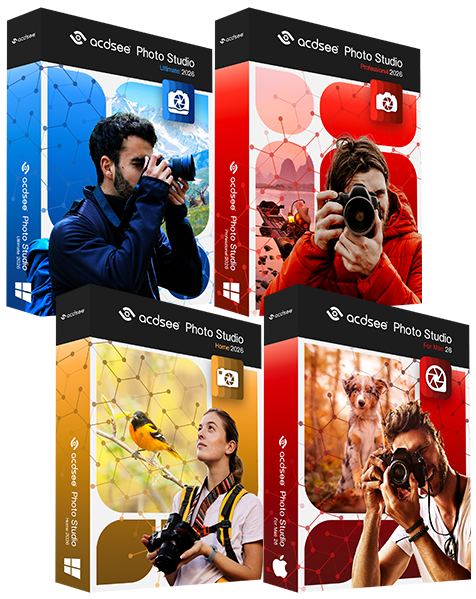
ACDSee 15 - Organize. Perfect. Inspire

  • Windows 8 Ready
  • Patented LCE
  • Noise Reduction
  • Hierarchical Keywords
  • Smart Blur
  • Edit Brush

$69.99 Save 70%
$19.99


ACDSee 15 is on sale ACDSee 15 - Features - Edit


Edit

Make your best look even better. Experiment with easy-to-use editing tools that deliver amazingly professional results. Your originals are always saved, so you can start over again anytime.


Easily brush on edits

Want to soften only a face and not the entire photo? The Edit Brush makes it super easy and fast to apply any editing effect to a specific part of your photo. Correct exposure, change the color, adjust details, or add a special effect. Choose your brush size and the amount of feathering to help you achieve exactly the look you want.

Brush edit in ACDSee 15


Noise reduction in ACDSee 15

Improved noise reduction

Don't delete those grainy, high ISO photos. Save them with ACDSee's improved noise reduction controls for smoother and more natural results, while saving as much edge detail as possible.

Red-eye reduction in ACDSee 15

Perfect those pixels

The enhanced Red Eye Reduction tool allows you to adjust the color and intensity for a more natural look. Plus magically erase flaws, blemishes and other unwanted objects with the Photo Repair tool’s powerful Heal and Clone options.

Clarity adjustments in ACDSee 15

Clarity editing tool

Add a little extra definition or add a soft, dreamy effect. The new Clarity tool targets the mid-tones of your photos, without affecting the highlights or shadow areas.


LCE adjustments in ACDSee 15

Achieve the best light and color

Rescue photos that are too light or too dark with the Lighting tool, powered by ACDSee’s patented LCE (Lighting and Contrast Enhancement) technology. Instantly lighten shadows and reduce highlights in one click, or adjust individual sliders to fine tune every aspect. Change the tonal range, white balance, and color balance of your photos with easy-to-use adjustment tools.


Make moments magical

Choose from more than 20 special effect filters including the Collage effect to creatively display your photo in a collage of prints; Lomo effect for an edgy, retro feel; and Orton Effect to give an ethereal, pastel-like touch to your portraits and landscapes.

Effects in ACDSee 15


Smart Blur in ACDSee 15

Blur smartly

Use the Smart Blur filter to blur areas of little or no detail while still maintaining the sharpness and important details of your photo. Try it as a creative effect or to reduce the noise in your photo for a smoother, less grainy look.


Frames in ACDSee 15

Frame your memories

Add a border, vignette or text to your favorite photos. Customize the color, texture and thickness to suit your shot. You can also blur or raise the edges, and add a drop shadow to perfectly complement the mood and atmosphere of your photo.


Drawing in ACDSee 15

Mark it up

Grab the Pencil tool to draw freehand, or add lines, curves, shapes and drawing effects to call attention to specific parts of a photo.


Facebook Twitter Youtube